

Korean Eats in Your Hotel Room: The Ultimate WOWKOREA SERVICE Delivery Guide

One of the best parts of traveling in Korea is that you can enjoy incredible food pretty much anywhere, anytime. Instead of wasting time wandering around an unfamiliar neighborhood looking for a place with a table, imagine being able to have a steaming bowl of bibimbap, crispy fried chicken, or sweet and spicy tteokbokki delivered right to your hotel room. That is exactly why WOWKOREA SERVICE was created—to make it super easy for international visitors to order and enjoy top dishes from local spots while staying at a hotel.
If you are new to WOWKOREA SERVICE, this guide will walk you through the entire process from picking your food and checking out to tracking your delivery. We will share some simple yet crucial tips to help things go smoothly, so make sure to read all the way through and use them on your next trip!
Things to Check Before You Order
Before choosing your food, please double-check the minimum order amount and whether delivery is available in your area.
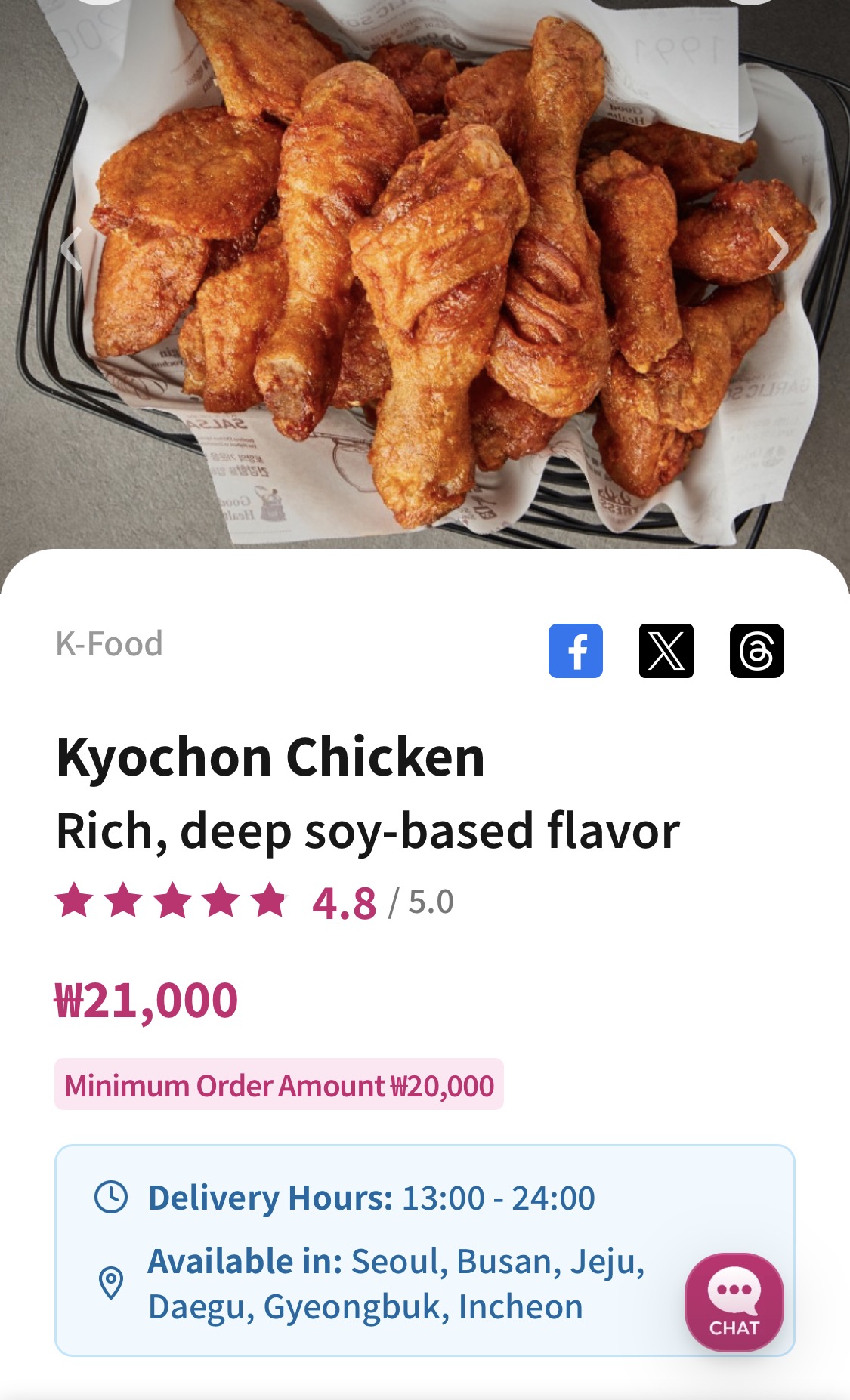
Once you confirm that delivery is available for your location, you can go ahead and browse the menu.
Keep in mind that your order must meet the minimum order amount to go through; orders below this threshold cannot be placed.
Picking Your Dish and Locking in the Date and Time
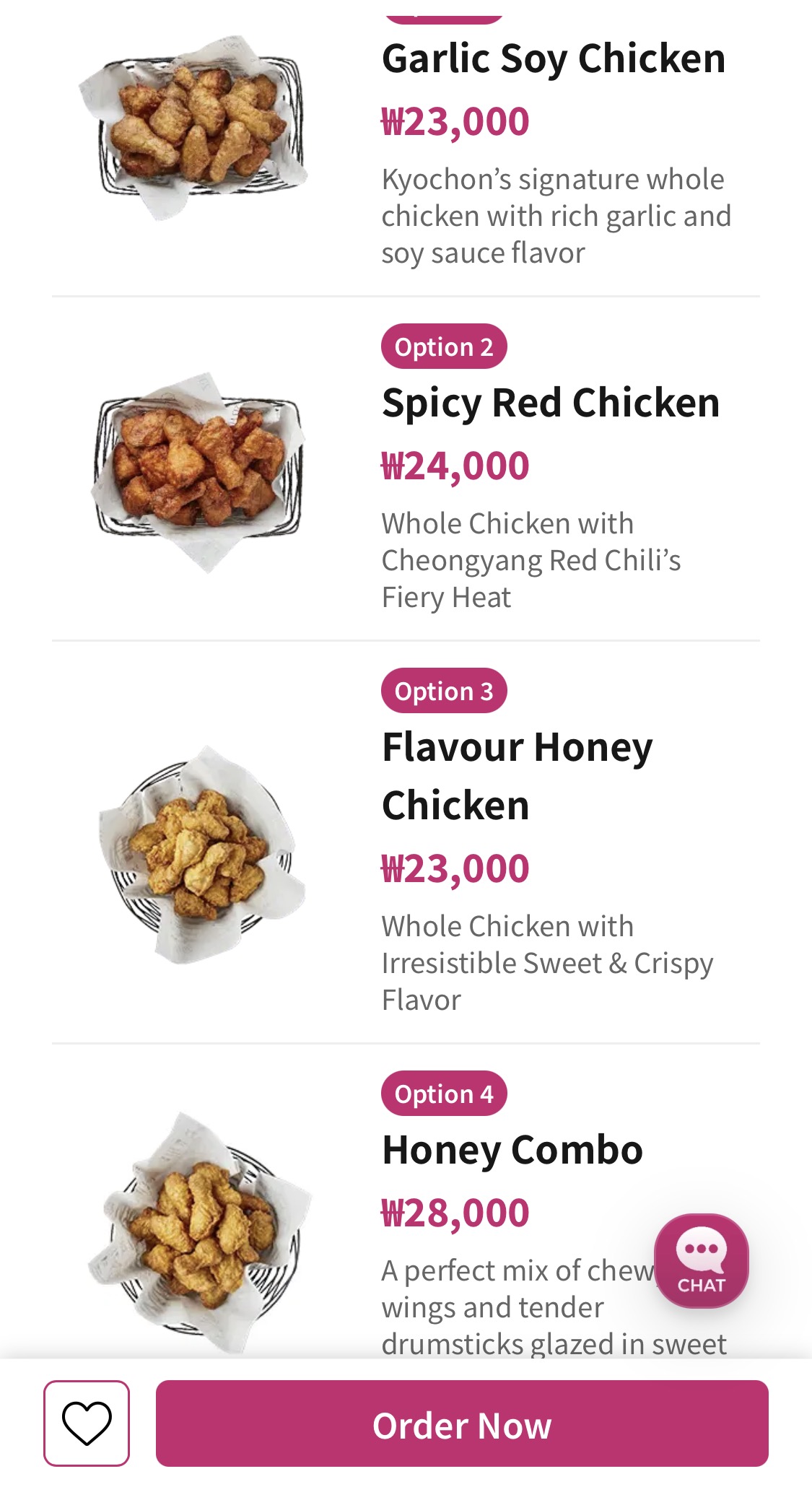
When you log into WOWKOREA SERVICE, you will find a clean layout featuring various categories like Korean, fusion, street food, and desserts. Scrolling through with mouthwatering photos and short descriptions makes even unfamiliar dishes feel approachable. Once you spot something you love, just tap the 'Order Now' button at the bottom of the screen to move to the next step.
Here is what you need to know about choosing your delivery date and time when placing an order.
- Delivery Hours: Available daily from 1:00 PM to 11:00 PM.
- How to Order: You can choose 'Immediate Delivery' or schedule your delivery for any time starting one hour from now.
- Important Note: If you place an order after 11:00 PM, the scheduled date will automatically roll over to the next day. Please double-check the scheduled date displayed on your screen.
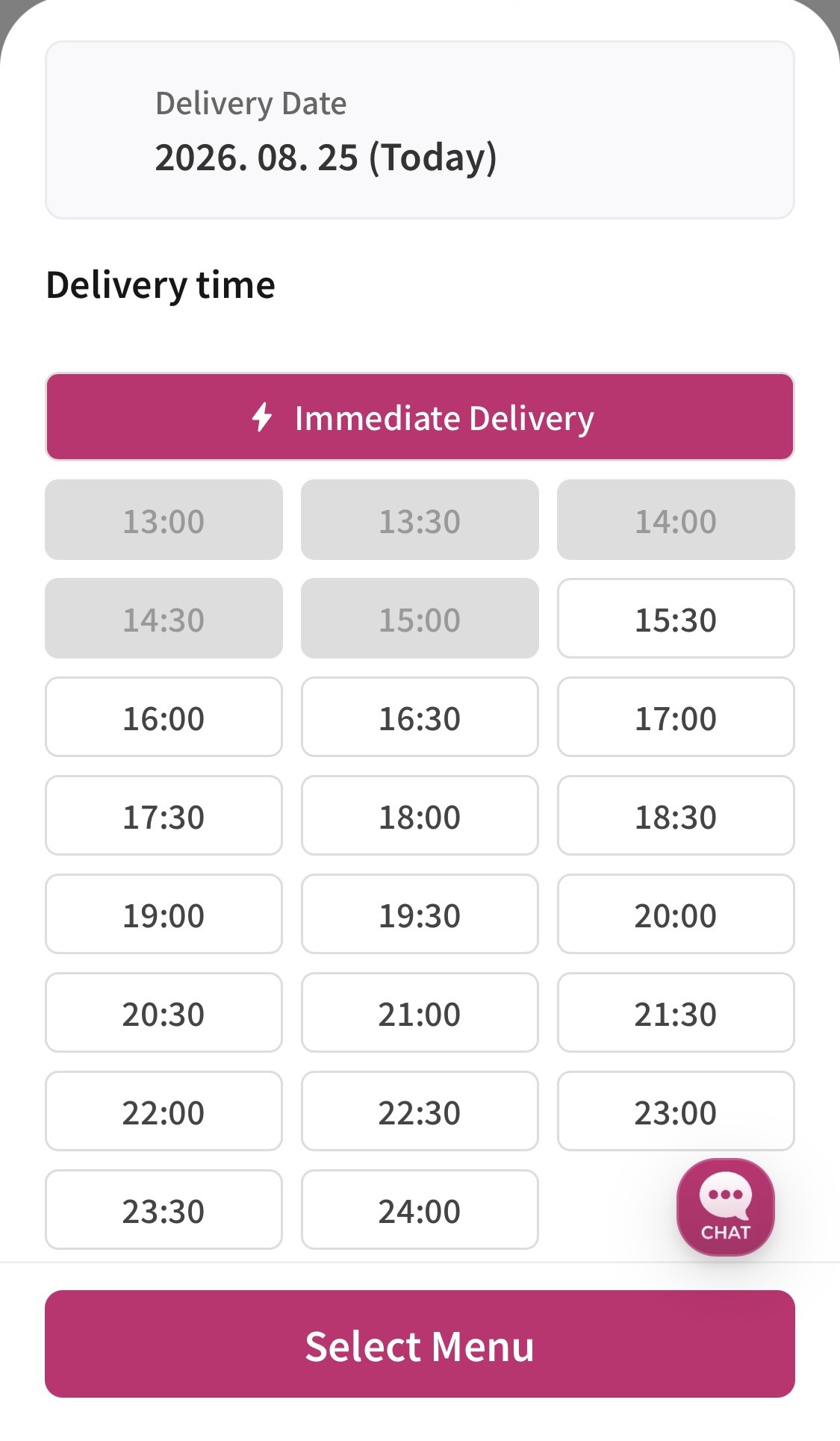
Fast delivery right to your door with 'Immediate Delivery'
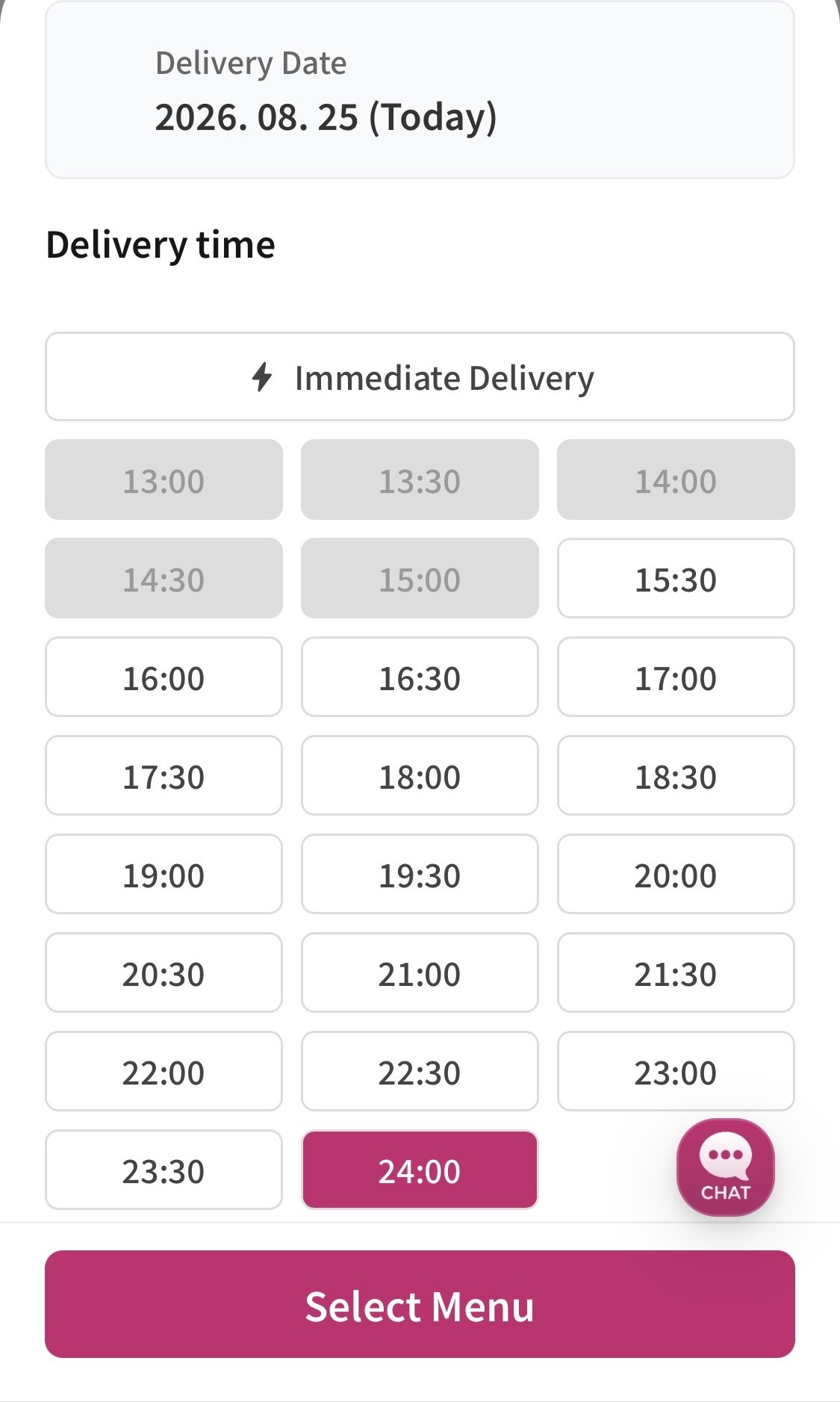
Schedule your food to arrive exactly when you want it
Entering Your Order Details and Completing Your Purchase
Once you've locked in your time and selected your items, you'll move on to the delivery details screen. To ensure a smooth drop-off, please keep the following tips in mind:
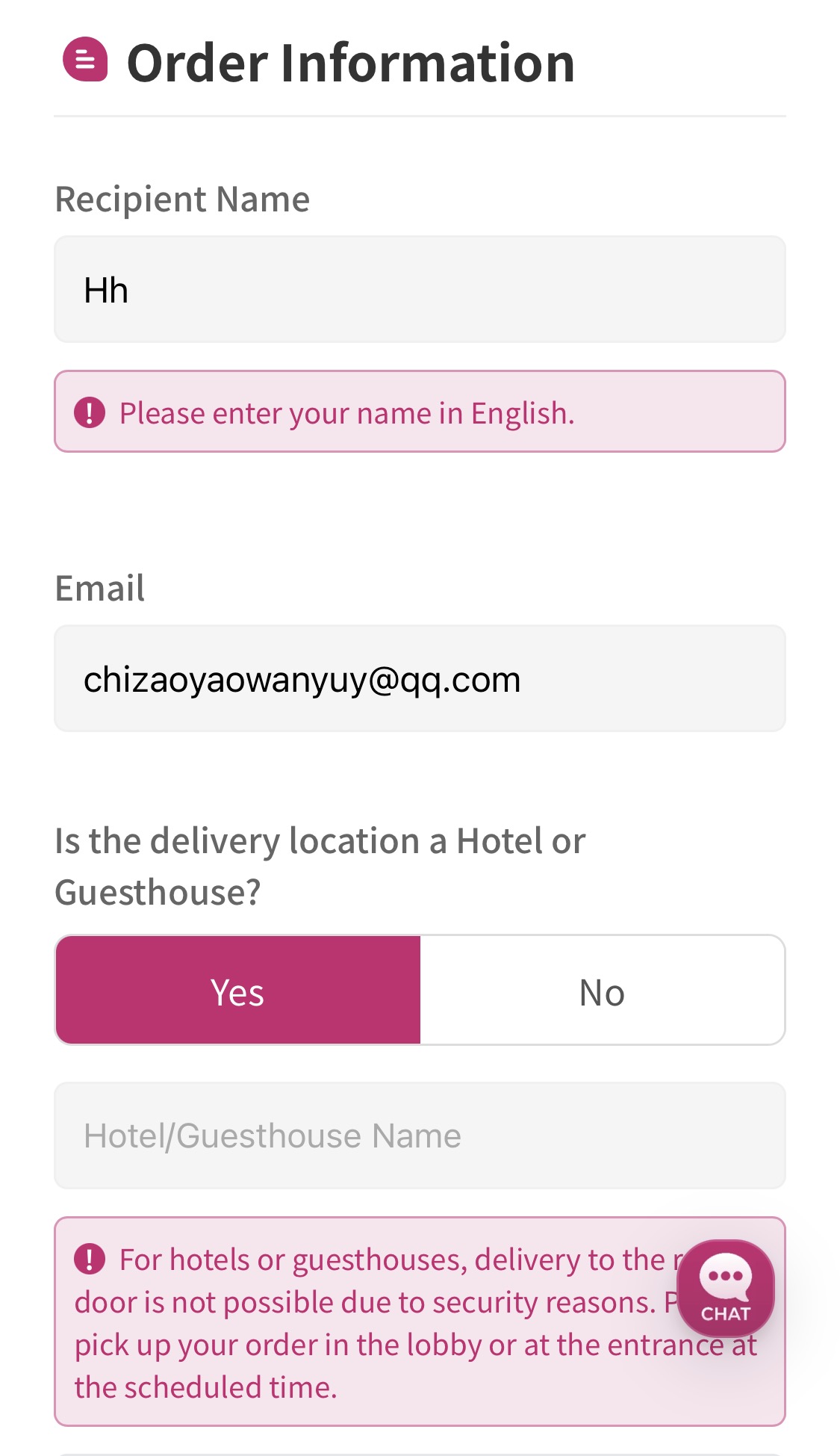
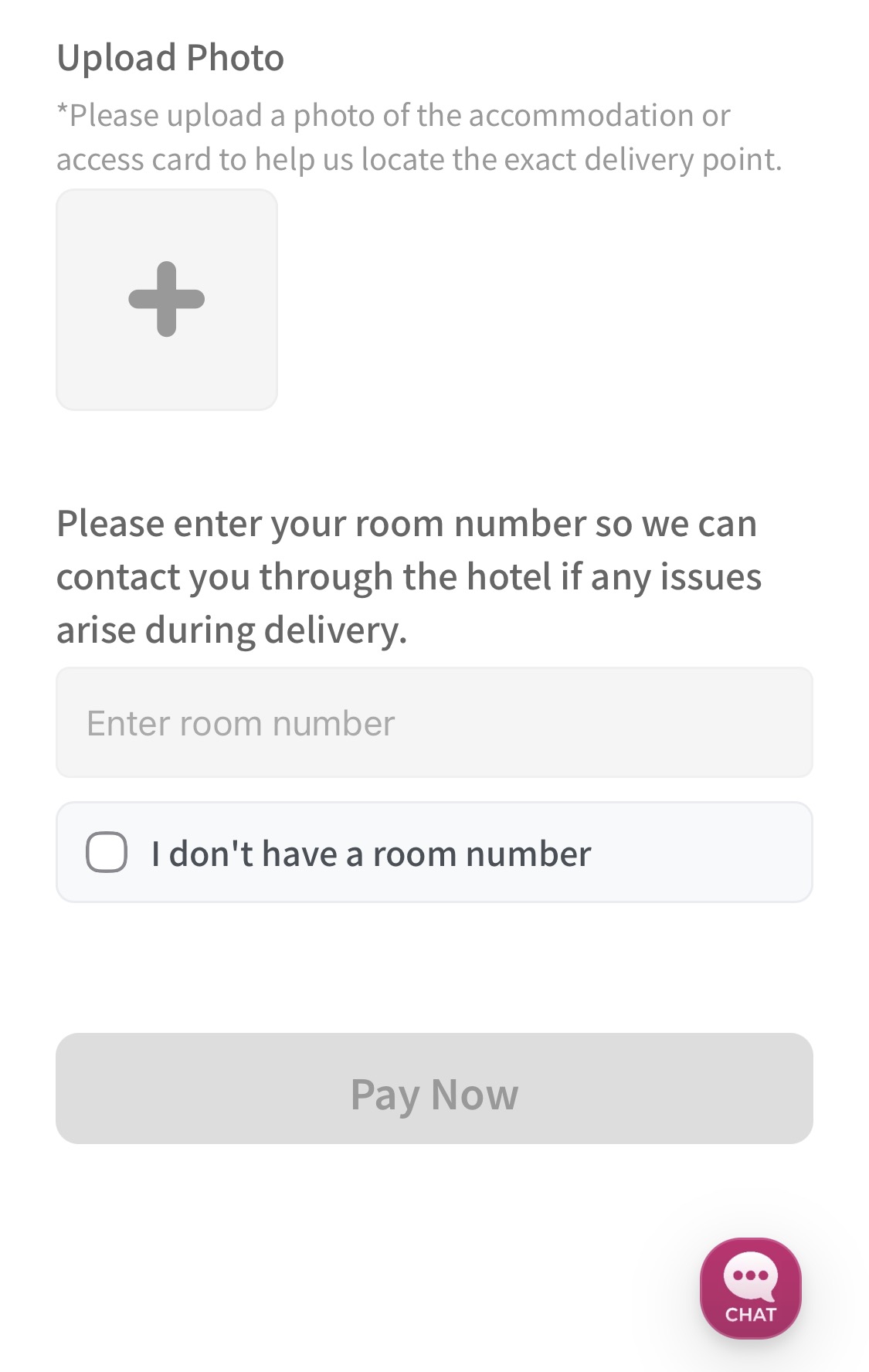
- Required Info: Please fill out your details in this exact order: Recipient Name -> Email -> Accommodation Name/Address -> Photo of the Pickup Spot -> Room Number.
- Hotel Delivery Tip: Many hotels don't allow delivery drivers inside, and hotel lobbies can be huge or located above the ground floor. To make it super easy for your driver, be as specific as possible in your notes—for example: "At the end of the hallway to the right of the 1st-floor main lobby front desk."
- Airbnb & Guesthouse Delivery Tip: If you're staying at a private rental rather than a hotel, just enter your exact address. If the building has a main entrance security gate, we strongly recommend including the passcode so your delivery goes off without a hitch.
Don't forget to hit the "Send Order Message" button after paying
Once you enter your delivery details, you will be taken to the checkout page. We support various payment methods like credit cards, PayPal, and Alipay, so just pick whatever is most convenient for you. As soon as your payment goes through, a button that says "Send order message to WOWKOREA SERVICE staff" will pop up at the bottom of the screen.
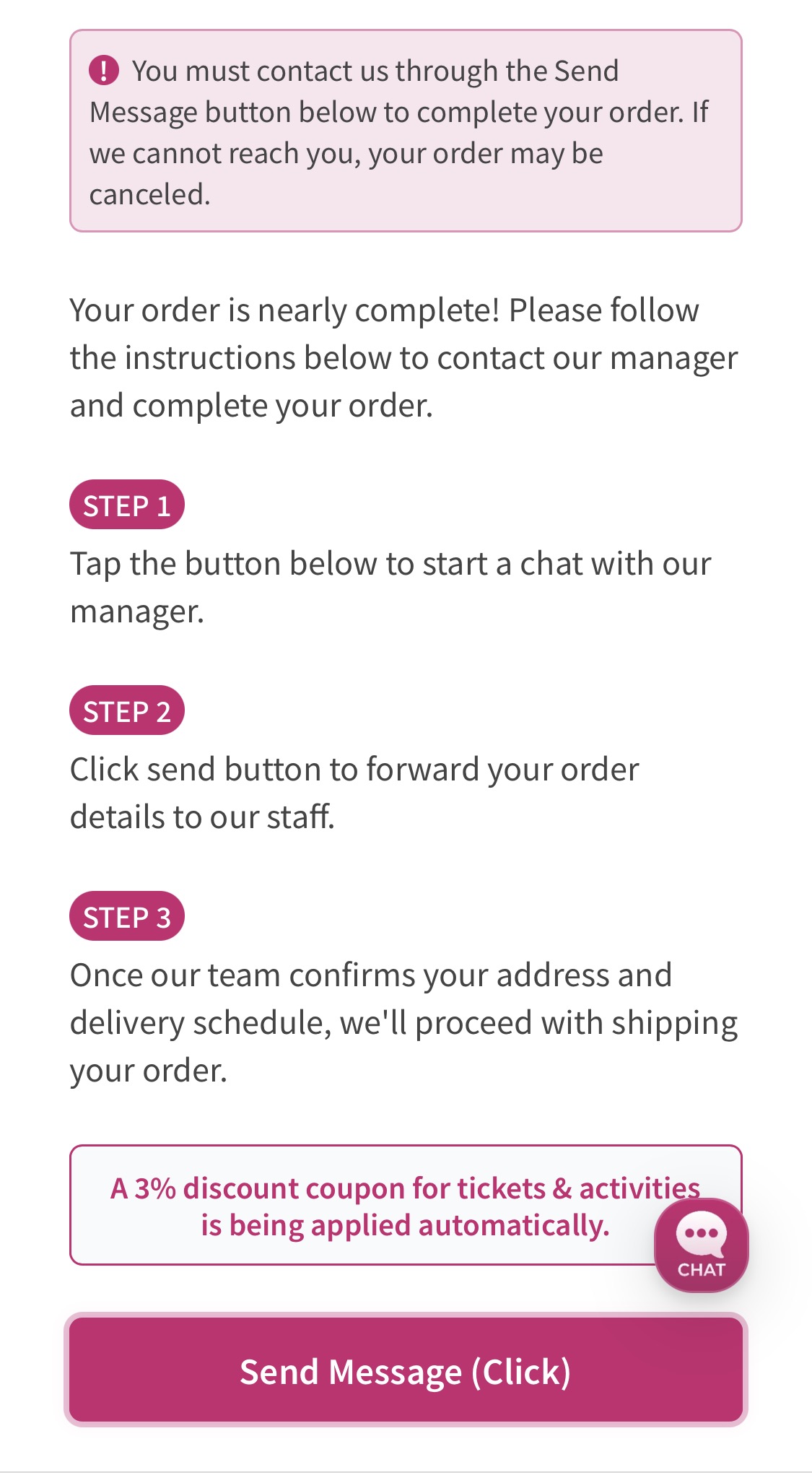
After sending the message, you can easily track the status of your food delivery right from your My Page.
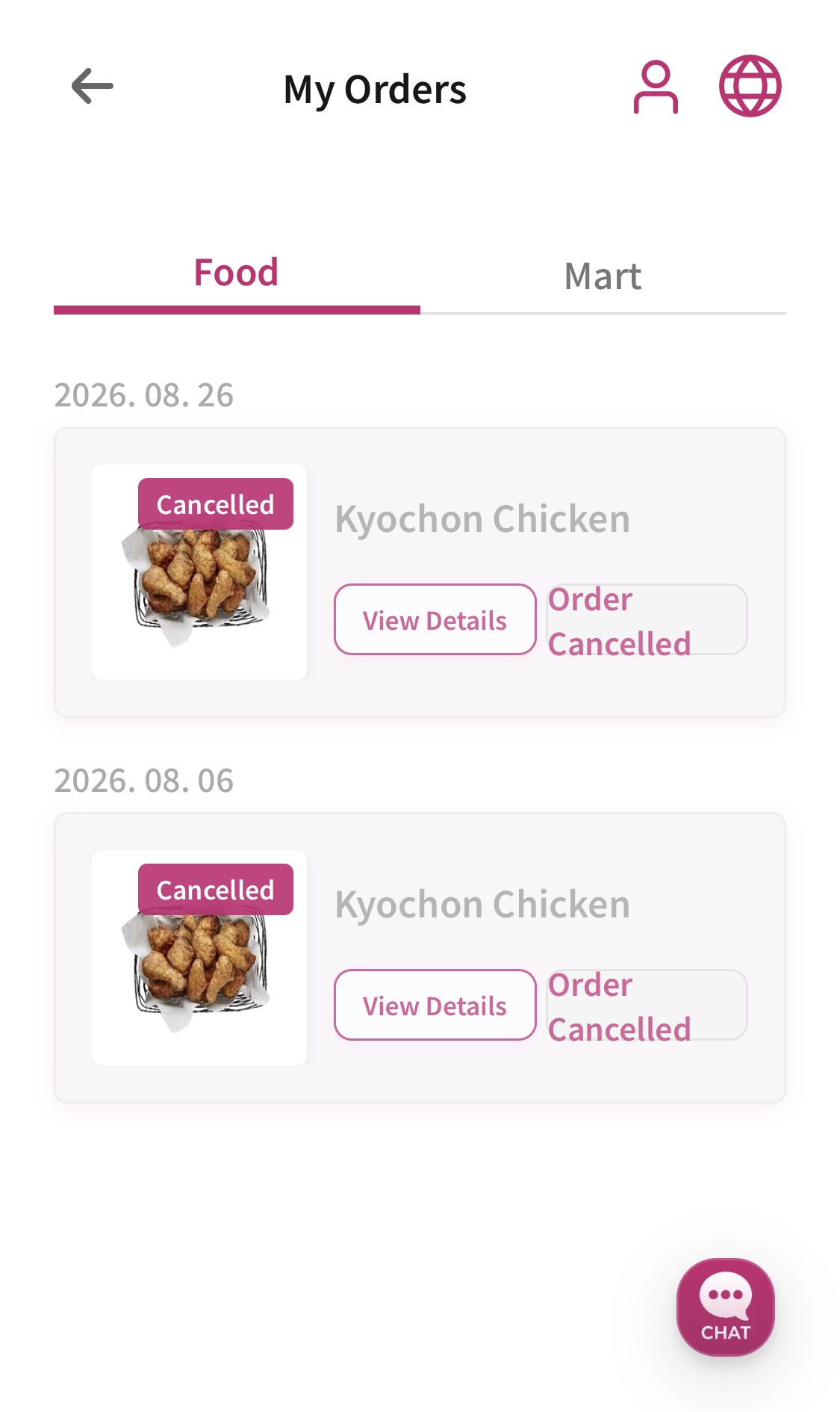
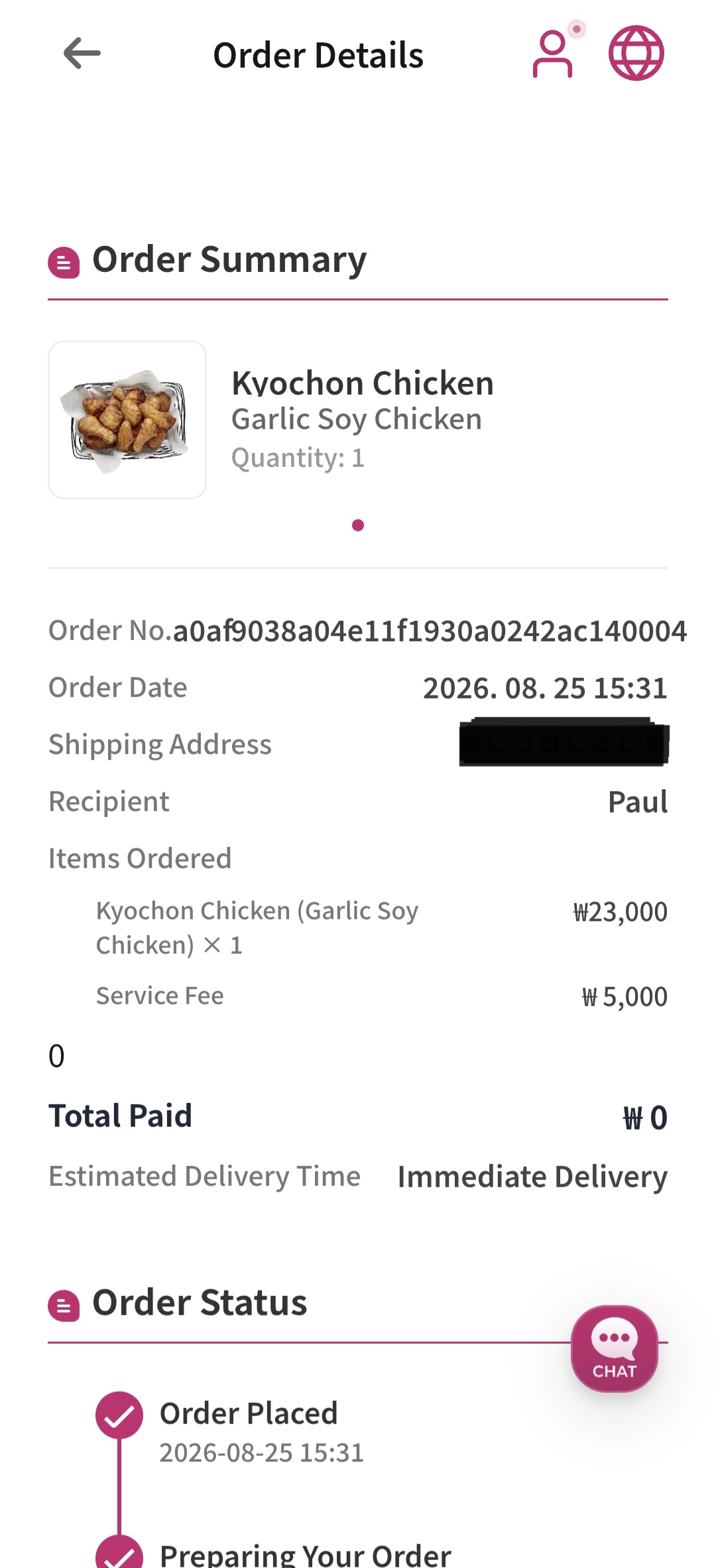
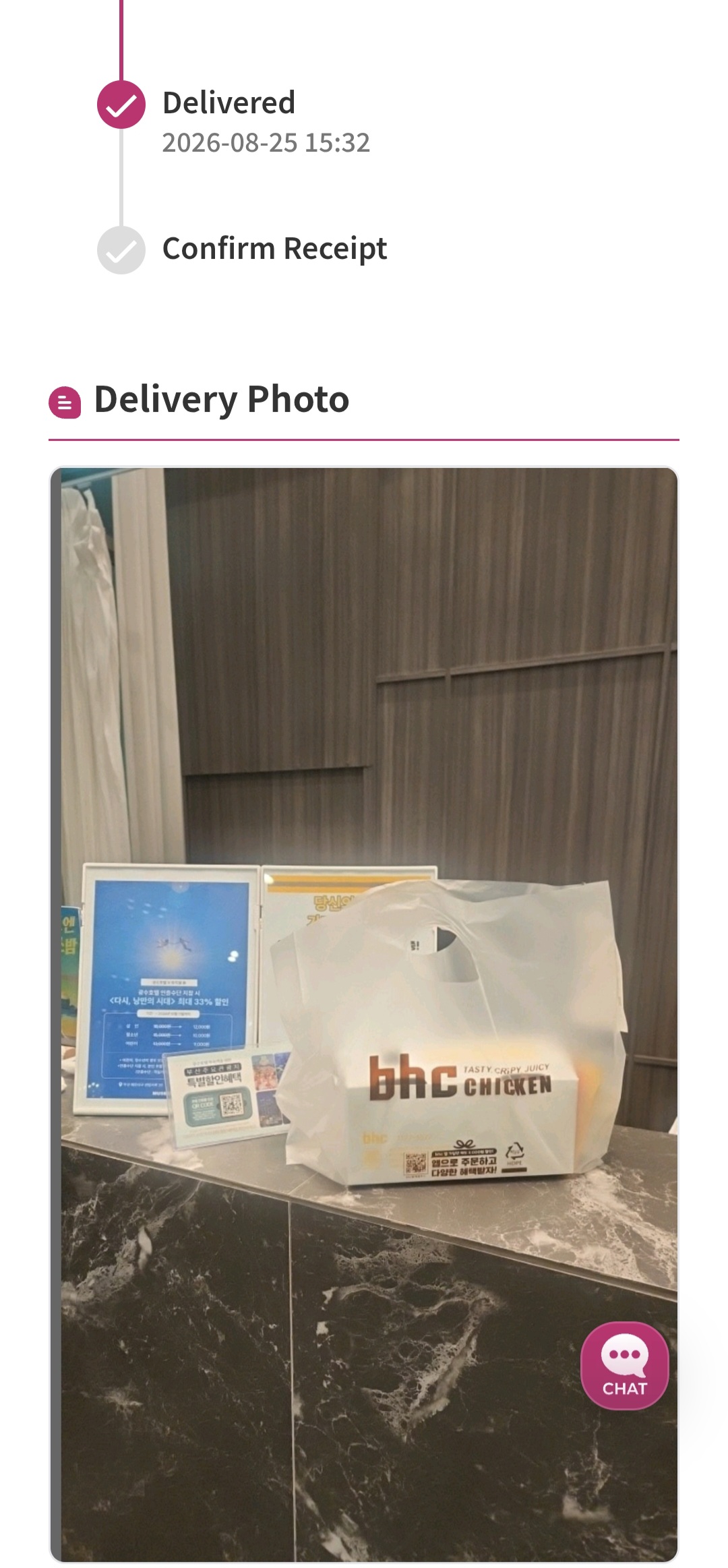
We will also send you a photo of the pickup spot so you can easily spot your food when it arrives.
However, if you run into any issues with your order or delivery, please feel free to reach out to us anytime via the chat window.
Refund Policy and Processing Time
Orders may occasionally be canceled and refunded due to unavoidable circumstances, such as no available restaurants nearby or stores closing early.
If your order is canceled and a refund is issued, it is typically processed within an hour. However, please note that depending on your payment method, it may take up to three business days for the funds to fully show up in your account.
Comments0
Be the first to comment