


How for Foreigners to Book and Use WOWKOREA SERVICE Tickets

Skip the ticket lines and easily book passes for top Korean attractions like Lotte World, aquariums, and theme parks online! WOWKOREA SERVICE makes purchasing tickets quick and hassle-free, complete with a variety of great discounts.
1. Choose Your Category and Destination
Once you land on the WOWKOREA SERVICE platform, you can quickly find exactly what you are looking for using the top menu.
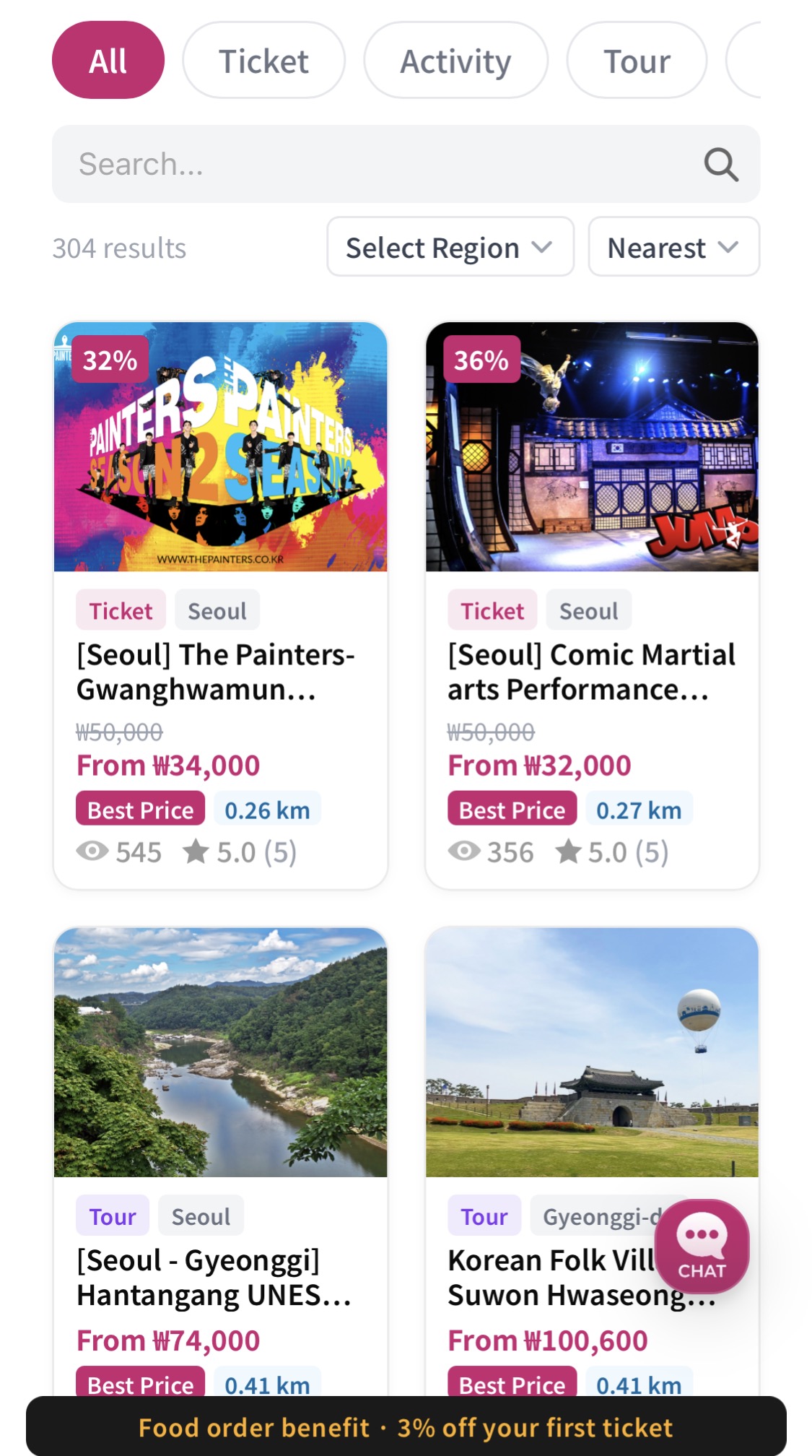
- Top Filter Bar: Easily browse by category—such as All, Tickets, Activities, Tours, and Transport—to narrow down your options.
- Region Selection & Search: Use the regional filter at the top to select your travel area, like Seoul or Gyeonggi Province, or simply type a specific landmark or show into the search bar.
- Keyword Search: Type in any attraction, show, or keyword you have in mind to instantly find the best matching experiences.
- GPS-Based Recommendations: Get tailored suggestions for nearby spots and tickets using your current location, making it easy to discover great things to do around you in real time.
WOWKOREA SERVICE offers a wide range of discounts to help you make the most of your trip to Korea on a budget.
Spot the discount percentage in the top-left corner of each product image and look for the 'Lowest Price Guarantee' badge to easily compare and pick the best deals at a glance.
Plus, enjoy extra perks like an additional 3% off your first ticket purchase after ordering food delivery. New members also receive 500 bonus points instantly to use toward their bookings.
Take advantage of these special deals and points to plan a smarter, more affordable Korean getaway.
2. Important Things to Know Before You Book
Before you select your tickets and check out, please take a quick moment to review these important details to ensure a smooth and seamless trip.

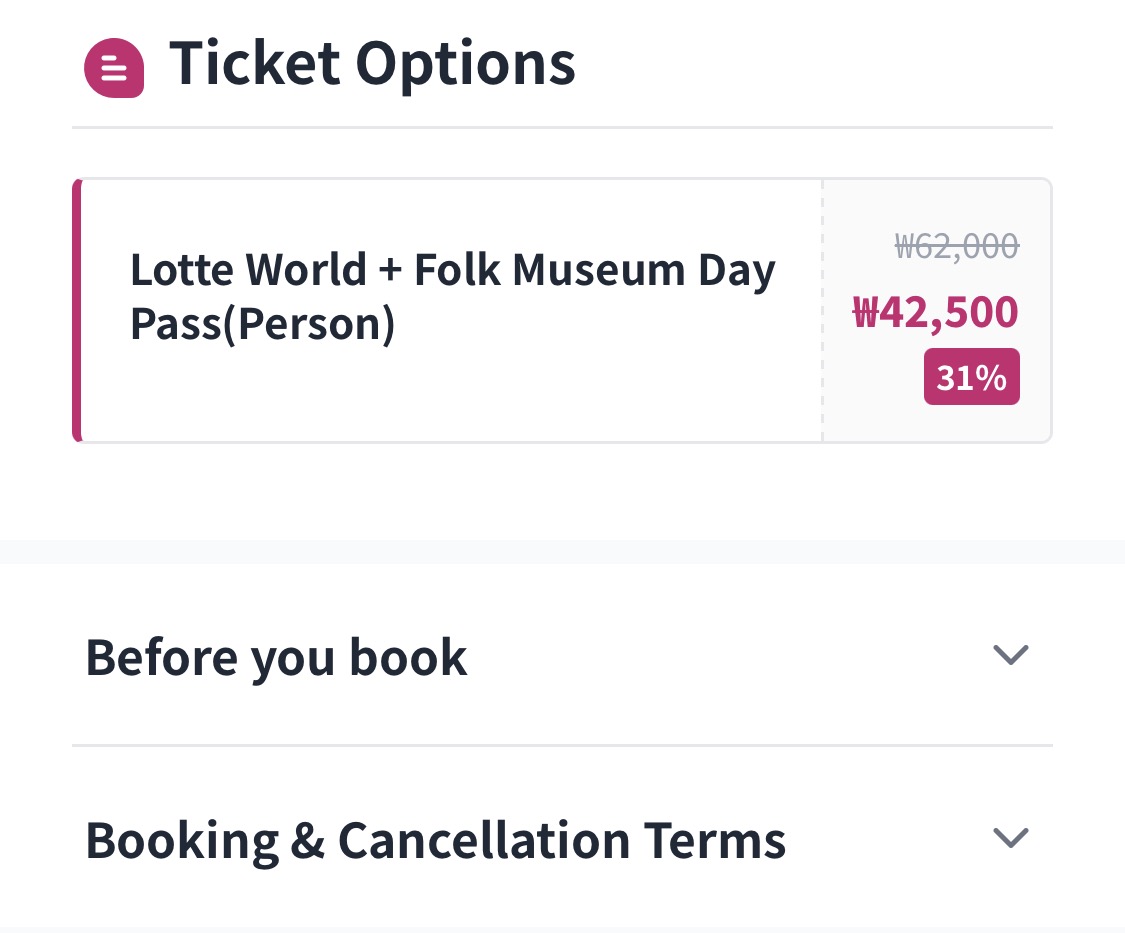
- Read the fine print: Take a moment to thoroughly review the booking and cancellation policies, along with all product details and ticket guidelines.
- Check tour meeting details: If you've booked a guided tour, note the exact meeting point and start time beforehand to ensure everything runs smoothly.
- ※ Always double-check the validity period and expiration date of your tickets.
3. Choosing Your Date and Quantity
Hit the 'Book' button on any activity page to easily set your visit date, ticket type, and group size step by step.
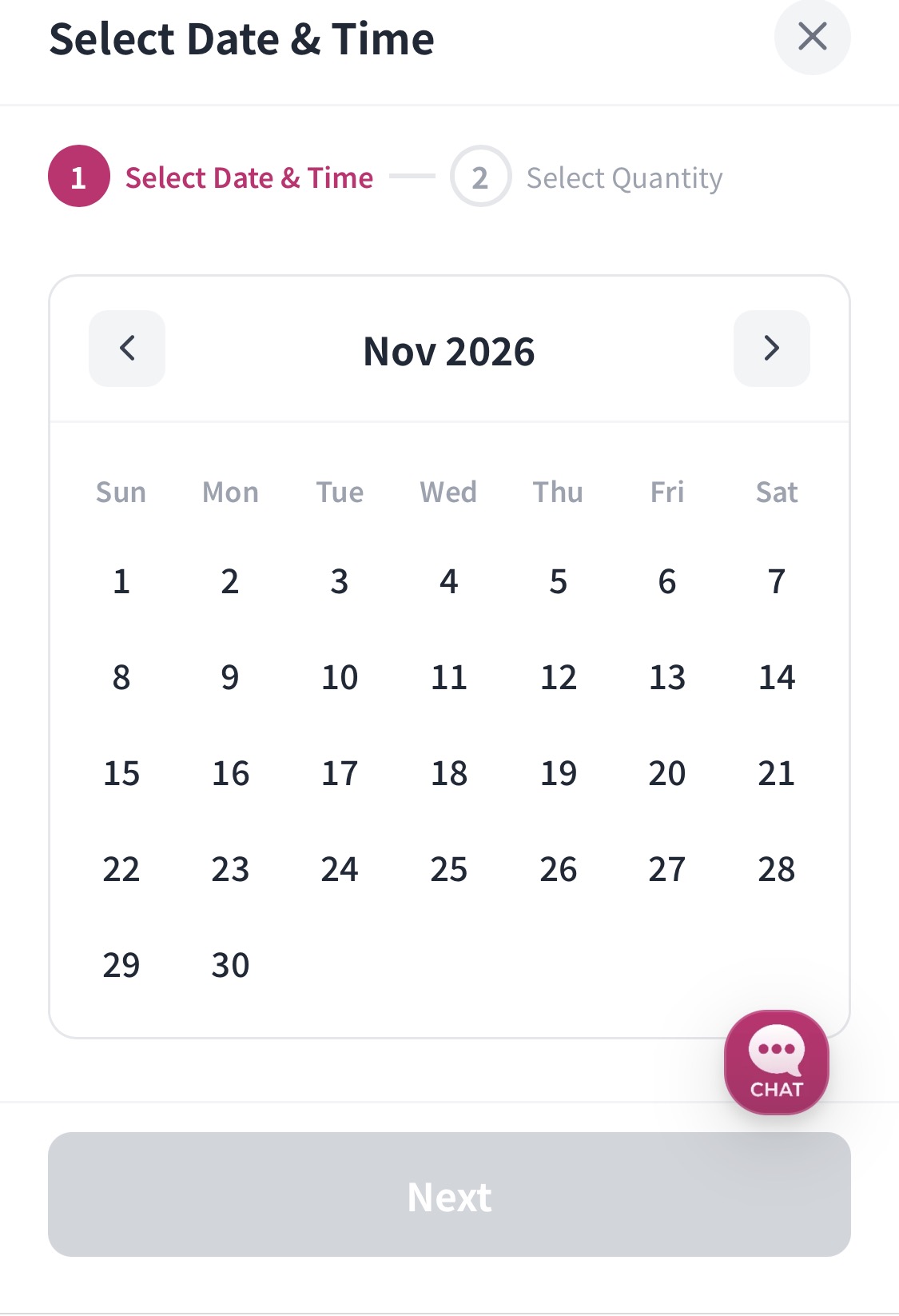
Step 1: Select Date & Time
- Pick the exact date and time you want to join the tour or visit the attraction during your Korea trip.
- Tap your preferred date on the calendar, then hit the [Next] button at the bottom to move forward.
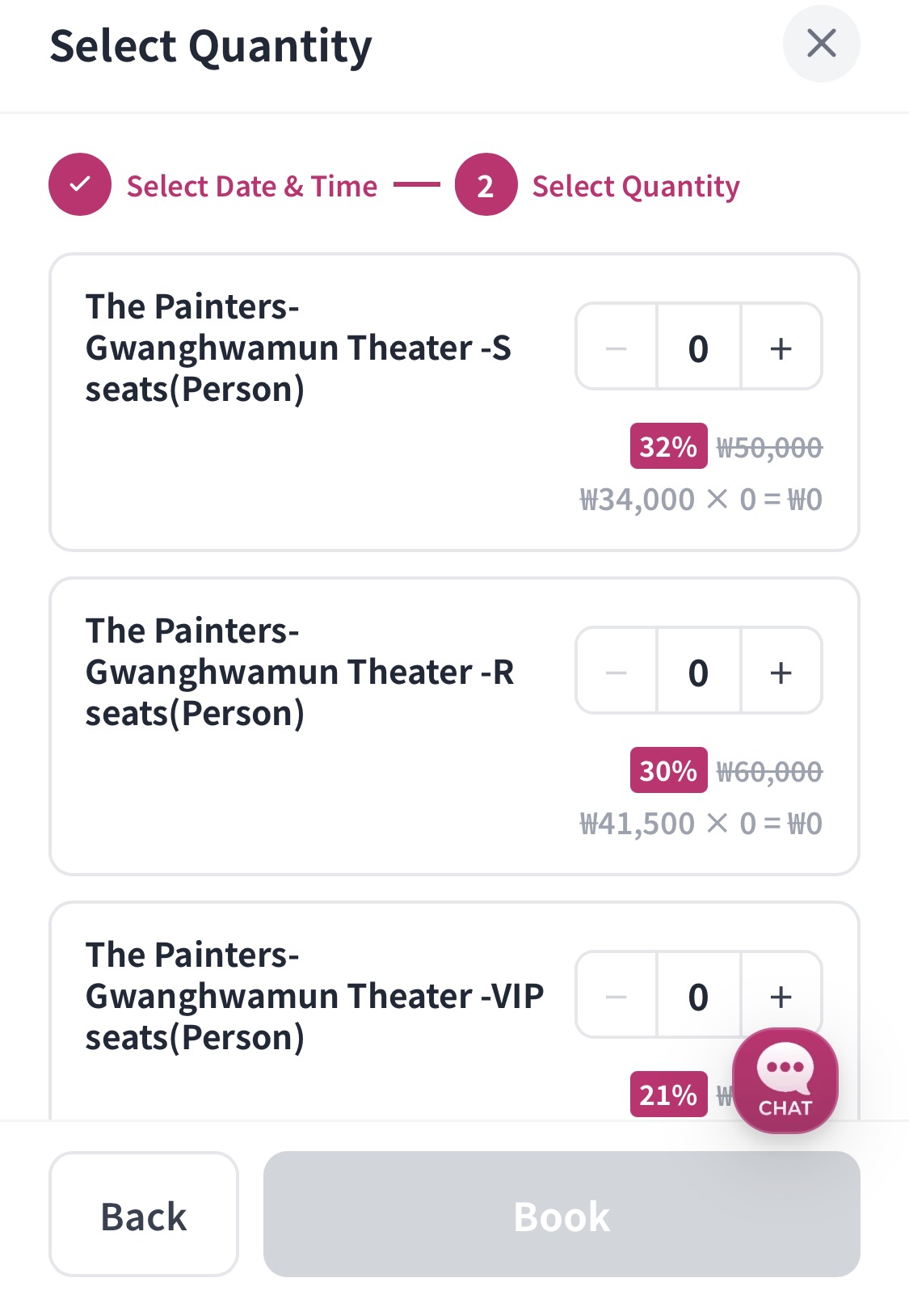
Step 2: Select Quantity
- Adjust ticket counts: Use the + / - buttons on the right to enter the exact number of tickets you need for each category.
- Review your total: Your discounts and final price update in real time as you adjust the quantity, so be sure to check the total before heading to checkout.
4. Entering Booking Details
Once you've chosen your date, time, and ticket options and hit 'Book Now', you'll move to the final checkout screen to enter your personal details.
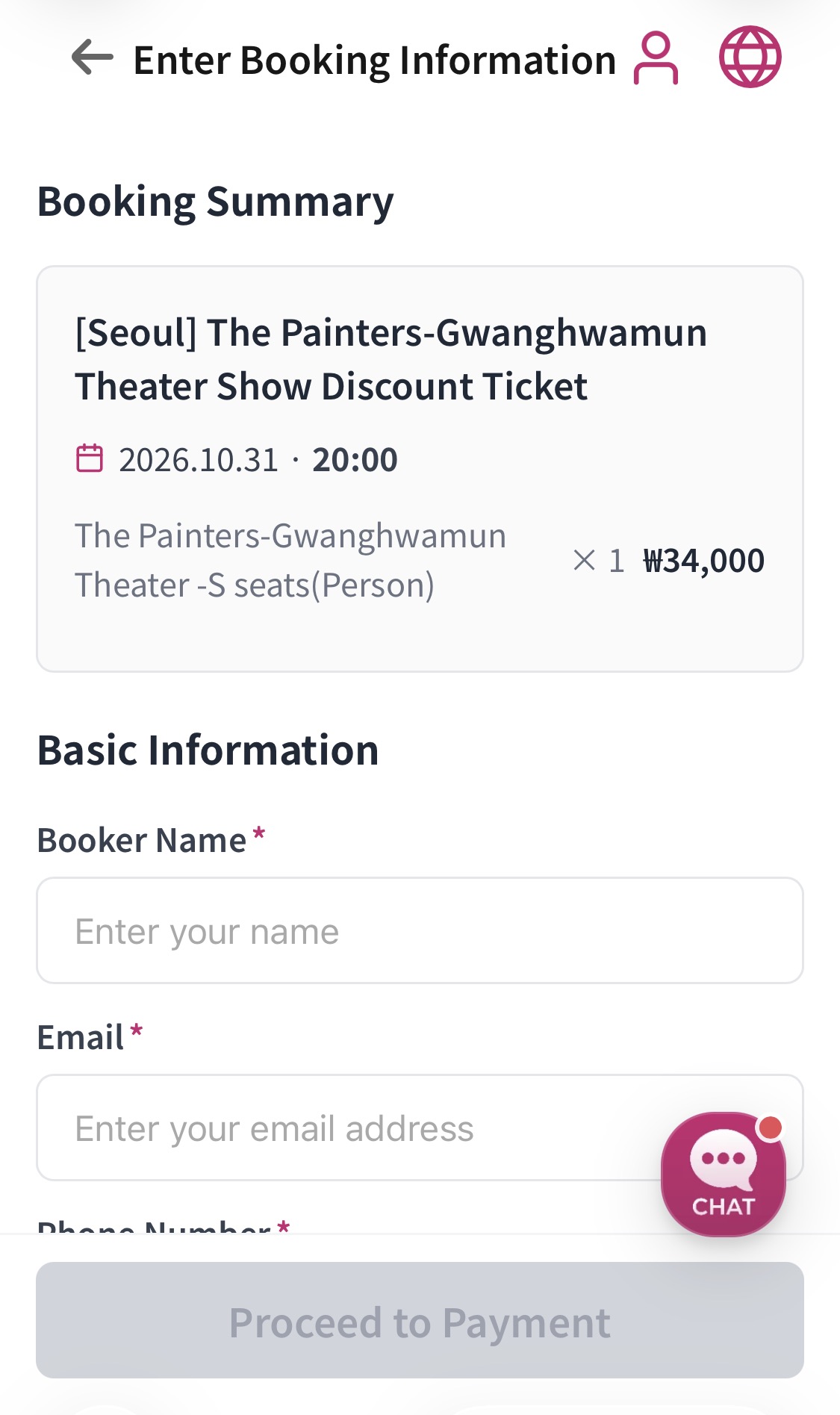
Reviewing Your Booking Summary
- Take a quick second to double-check everything at the top of the screen: the activity name, your visit date and time (e.g., Oct 31, 2026 at 8:00 PM), the ticket type and quantity (× 1), and the final total (₩34,000).
Entering Your Contact Info
- Full Name: Make sure to enter your name exactly as it appears on your passport.
- Email Address: Drop in a valid email where we can send your booking confirmation and e-voucher.
- Please also fill in your phone number, nationality, and any other required details carefully without leaving anything blank.
5. Checking Your Bookings and E-Vouchers
Once payment goes through, you can easily check your booking status and view your tickets right inside the app whenever you need them.
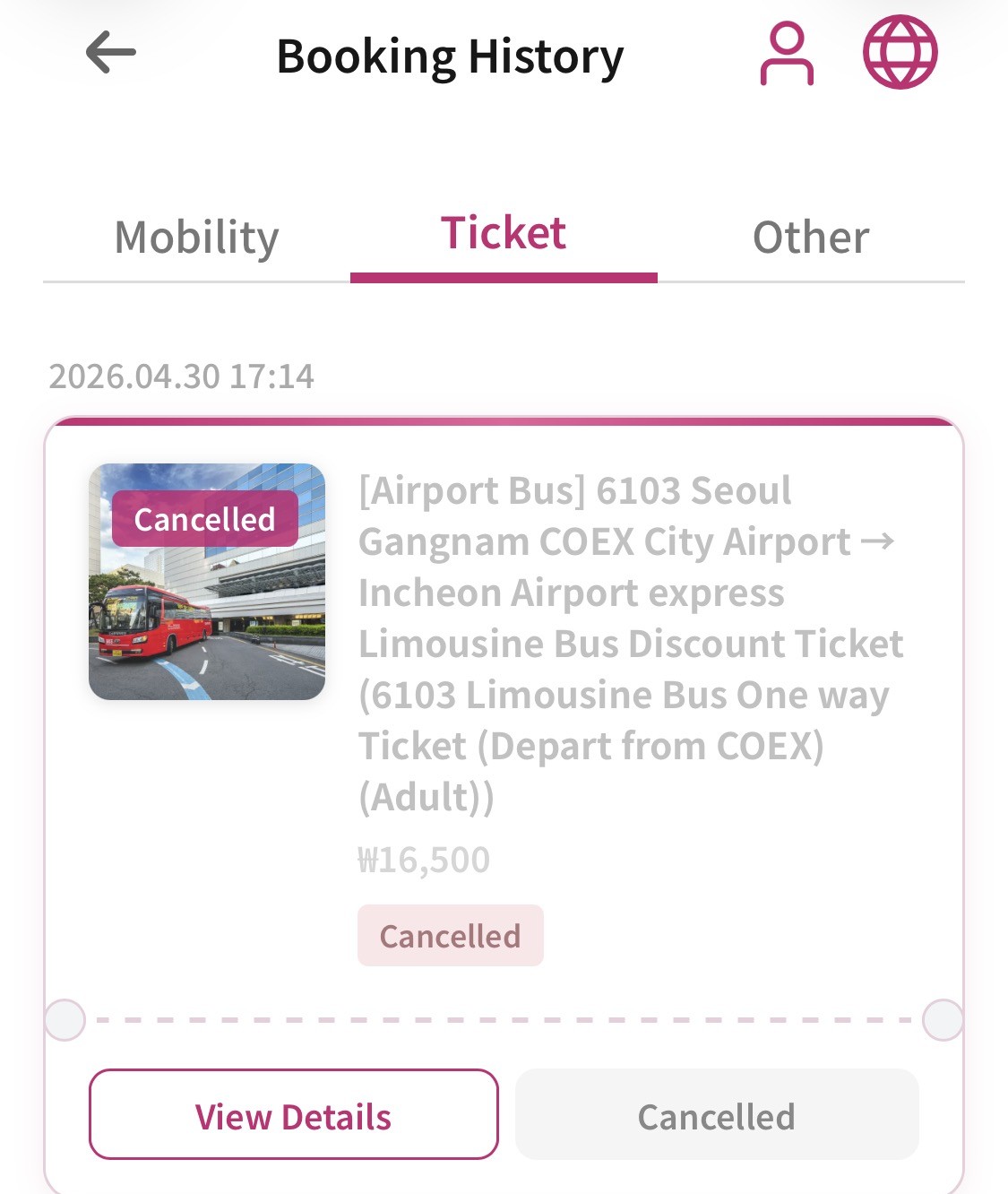
Finding Your Bookings
- Head over to your booking history in 'My Page' and use the filter at the top to sort your reservations by category like transport, tickets, or others.
- You'll see everything at a glance—booking dates, activity names, totals paid, and current statuses (like Confirmed or Cancelled).
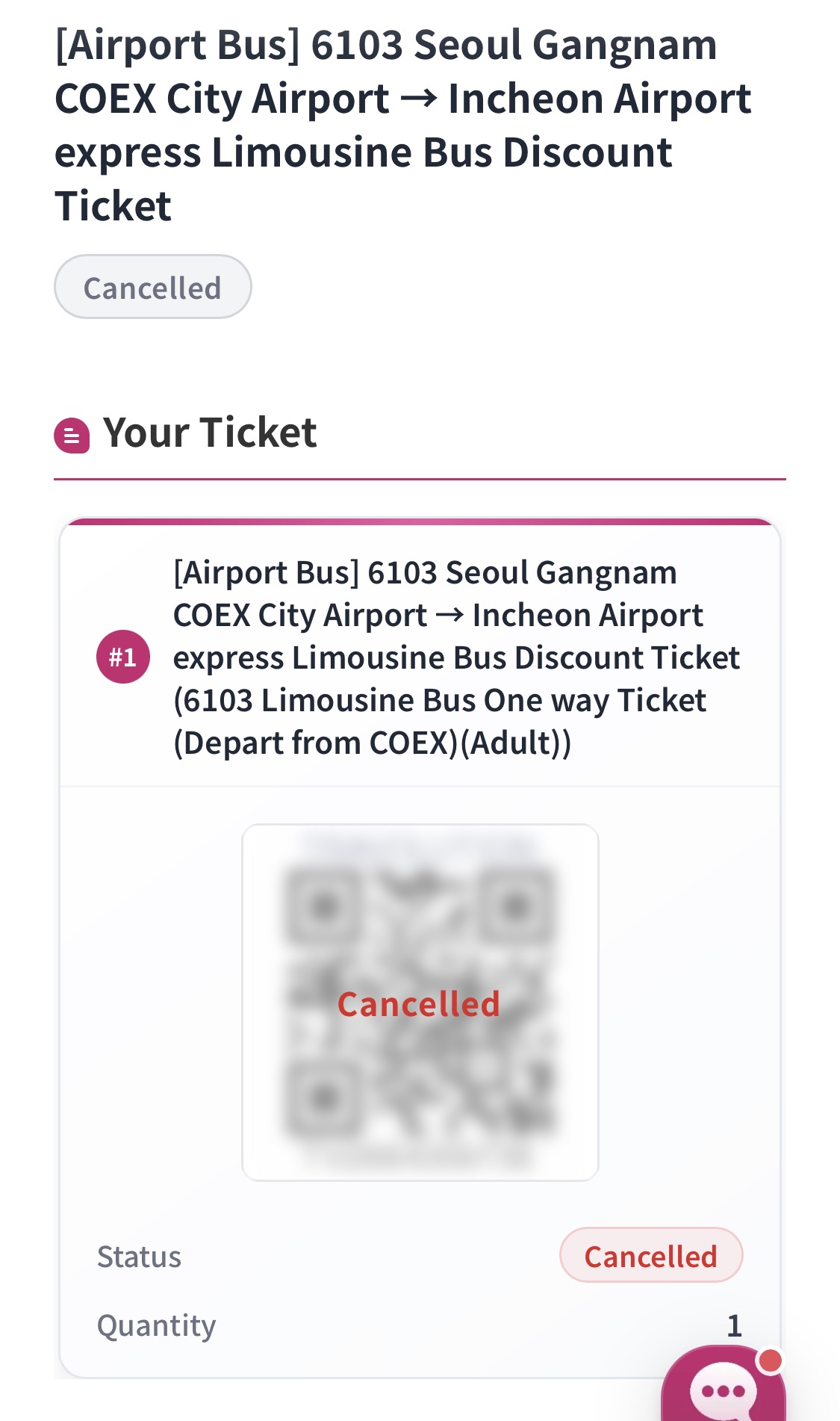
Checking Details and Your QR Code (Voucher)
- Tap the [View Details] button at the bottom of any booking to open its dedicated page.
- In the 'Your Ticket' section, you'll find your entry QR code and voucher, ready to use on-site.
- Double-check your ticket quantity and status, then simply show the mobile voucher when you arrive for a quick and easy entry.
Comments0
Be the first to comment